ERP / Accounting icon

ERP / Accounting

End-to-end financials, procurement and inventory — built for UAE VAT and growing SMEs.

Try Live Demo
Demo login — SalesMax Trading — demo company only
User
Pass
salesmax.analysis-accounting.com / dashboard
Sample Company
Overview
This month
Revenue
AED 248K
+12%
Orders
1,840
+8%
Customers
326
+5%
Sales trend
INV-1042 Al Hamra Trading AED 4,200 Paid
INV-1041 Gulf Mart LLC AED 1,860 Pending
INV-1040 Sunrise Cafe AED 920 Paid

What's Included

Everything you need, nothing you don't.

ERP / Accounting is packed with the features growing UAE businesses rely on day in, day out.

True double-entry books - every posted invoice, expense and voucher writes its own journal in the same transaction
Full financial statements: Trial Balance, General Ledger, Profit & Loss, Balance Sheet and Cash Flow
UAE VAT return computed live from your sales, purchases and expense claims
Chart of accounts, account groups, ledger master and cost centres
Customer and supplier ageing, bank reconciliation and post-dated cheque tracking
Complete sales cycle - quotation to sales order to delivery note to tax invoice to return
Complete procurement cycle - requisition to purchase order to goods receipt to supplier invoice to return
Multi-warehouse inventory with stock adjustments, transfers and valuation reports
Light manufacturing - bills of materials, work centres and work orders
HR and payroll with attendance, leave, salary assignment and UAE WPS salary-file export
Fixed asset register with categories, scheduled depreciation and maintenance
Project costing and billing - tasks, timesheets, expenses and project invoicing
Approval workflow with routing rules and a single approval inbox
Posted documents are never rewritten or deleted, only reversed - an audit trail that holds up
FTA-safe invoice numbering: atomic and gap-tolerant, so a tax-invoice number is never duplicated

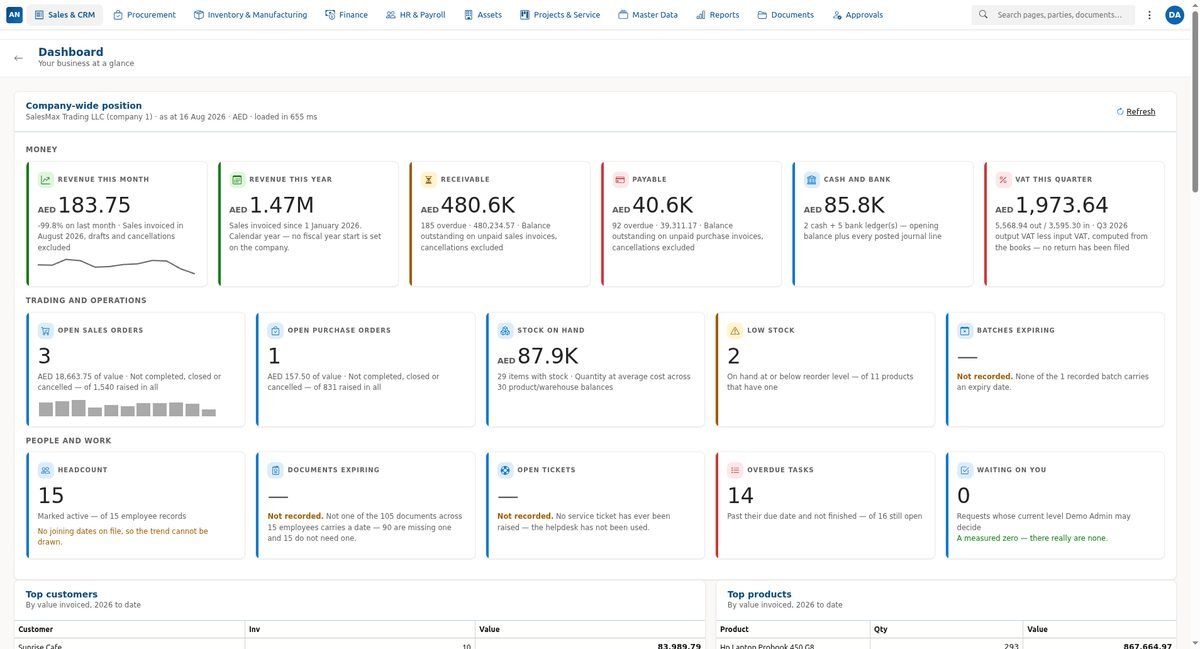
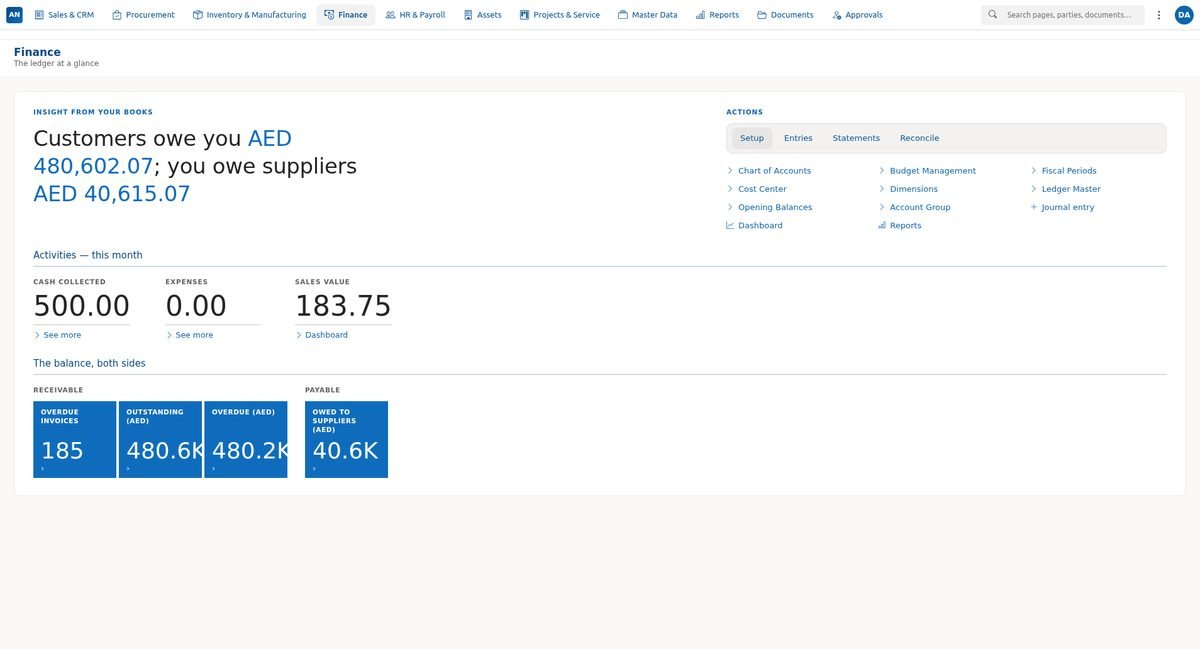
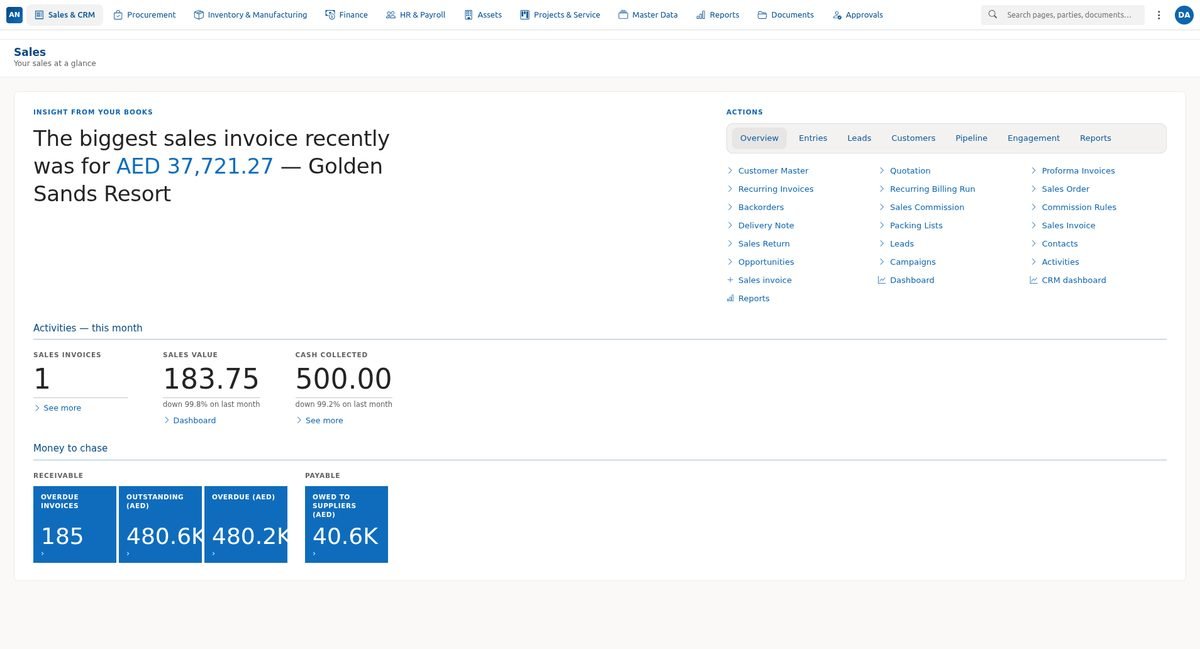
Screenshots

See it for yourself.

ERP / Accounting — screenshot 1
ERP / Accounting — screenshot 2
ERP / Accounting — screenshot 3

How to Buy

Simple, hassle-free onboarding.

No upfront payment needed to get started. We set everything up first — you only pay when you're happy.

  1. 01

    Request a demo

    Fill in the short contact form and we'll schedule a personalised walkthrough of ERP / Accounting — no commitment required.

  2. 02

    We set you up

    Our local team installs, configures and trains your staff. We tailor the system to match your workflows before you go live.

  3. 03

    Pay when you're ready

    Once you're satisfied, pay the annual licence fee by bank transfer — no card required, no hidden fees.

Bank Transfer Details

For annual licence payment

Account Name
Shared after your demo request
Bank
Shared after your demo request
Account No
Shared after your demo request
IBAN
Shared after your demo request

Important: Please include your company name and the product name ERP / Accounting as the payment reference. Send a copy of the transfer receipt to info@analysis-accounting.com.

Have questions before paying? Chat with our team →

Ready to get started with ERP / Accounting?

Book a free personalised demo — we'll show you exactly how ERP / Accounting fits your operations.